Blog ·
How does multiplayer work in a browser game?
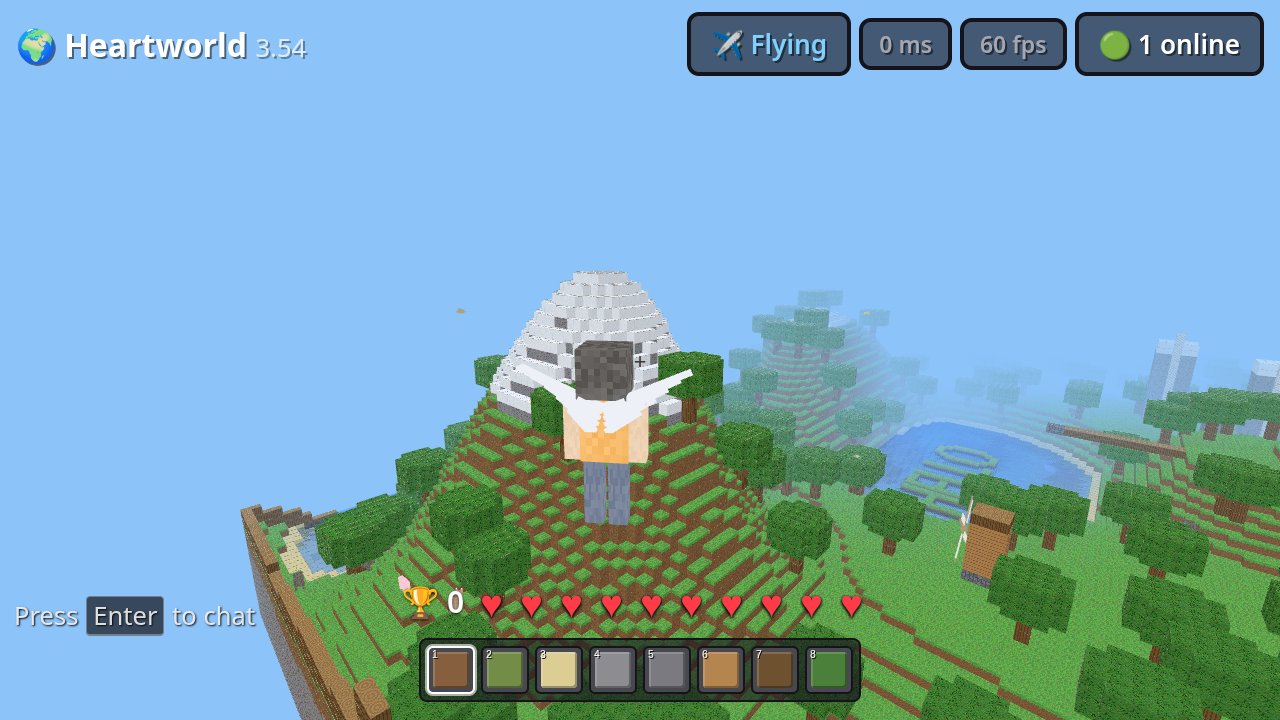
A multiplayer browser game keeps a connection open to a game server and trades small messages with it many times a second: where you are, what you did, and what everyone else is doing. The browser has three built-in ways to do that, with nothing to install: WebSocket (the long-standing one), WebTransport (newer and faster for games), and WebRTC (used mostly for voice and video between players). The server decides what really happened, and your browser smooths the gaps between its updates so other players move without jerking.
Who keeps the game in sync?
In most online games, a server does. Valve's developer documentation for its Source engine describes the usual design plainly: a dedicated server "is authoritative about world simulation, game rules, and player input processing", clients send their input to it, and clients talk only to the server, not to each other. The same page says the two sides exchange small packets "usually 20 to 30 packets per second".
A browser game works the same way. The page is the client: it draws the world, reads your keys, and sends what you do to a server somewhere on the internet. What is different is only the plumbing the browser offers for that connection.
What is WebSocket?
The oldest of the three, and still the most common. MDN describes the WebSocket API as a way to "open a two-way interactive communication session" between the browser and a server, so a page can send and receive messages without asking the server again and again. The protocol is RFC 6455, published in December 2011, and MDN's browser compatibility data lists support since Chrome 5, Firefox 11 and Safari 5.
Its weakness for fast games is that it runs over TCP, which delivers every message, in order. If one packet is lost, everything behind it waits until it is sent again, even though a player's position from a fraction of a second ago is already out of date. MDN's WebTransport page calls this out: on the older protocols, when one resource fails, the others "are held up until any missing packets are retransmitted". MDN also notes that WebSocket "doesn't support backpressure", so a page flooded with messages can fill its memory or stall.
What is WebTransport, and why is it better for games?
WebTransport is the browser's newer connection, which MDN calls "a modern update to WebSockets". It runs over HTTP/3, which is built on QUIC, a transport on top of UDP (QUIC is RFC 9000, May 2021; HTTP/3 is RFC 9114, June 2022). It gives a game two kinds of channel on one connection:
- Reliable streams, for things that must arrive: placing a block, a chat line, joining and leaving.
- Unreliable datagrams, for things that are stale a moment later: positions and poses. MDN explains that "unreliable" means delivery and order are not guaranteed, which "provides very fast delivery". The datagrams come from RFC 9221 (March 2022), which defines QUIC frames sent "without requiring retransmissions" and names gaming among its uses.
A lost datagram is simply skipped, and the next update a few milliseconds later replaces it, so one dropped packet no longer holds up the rest. WebTransport needs a secure (HTTPS) page, as MDN notes.
Which browsers support WebTransport?
All the major engines now, though Safari only recently. From MDN's browser compatibility data, as we read it on Nov 2, 2026:
| WebSocket | WebTransport | WebRTC | |
|---|---|---|---|
| Chrome and Edge | Since Chrome 5 (Edge 12) | Since version 97 | Since Chrome 56 (Edge 15) |
| Firefox | Since 11 | Since 114 | Since 44 |
| Safari | Since 5 | Since 26.4 | Since 11 |
Because an older browser or a strict office firewall that blocks UDP can still stop WebTransport, a careful game tries it first and falls back to WebSocket.
What is WebRTC for?
Talking straight to other players, mostly for voice and video. WebRTC opens a connection from one browser to another, but most devices sit behind a home router with no public address of their own. MDN's WebRTC protocols page explains the fix: a STUN server tells each browser its public address, and when a router allows no direct connection (a "Symmetric NAT"), a TURN server relays all the traffic instead, which "is only used if there are no other alternatives". TURN is standardized as RFC 8656 (February 2020).
How do other players move so smoothly?
Updates arrive in steps, not continuously, so the game fills the gaps. Valve's page describes the two classic tricks: entity interpolation, where the game draws other players slightly in the past and glides them between the last two updates it received (Source's default delay is 100 milliseconds), and input prediction, where your own character moves the instant you press a key instead of waiting for the server's reply.
How do EverGamer's multiplayer games do it?
We read our own code on Nov 2, 2026:
| Game | Connection | How often it sends your position |
|---|---|---|
| Heartworld | WebTransport first, WebSocket if that fails | Up to 15 times a second, and only when you move |
| Munchman | WebTransport first, WebSocket if that fails | Never: it sends only the direction you press, on the reliable stream |
| Heart Engine 2 | WebSocket | 12 times a second |
In Heartworld, your position and pose travel as datagrams, while block edits, joins and the world's animals go on the reliable stream, because a datagram must stay small (near 1,200 bytes) and a full snapshot is larger. Its voice and video chat is a WebRTC mesh between players, with a STUN server and a TURN relay that our server hands each player. All three games talk to one game server in Amsterdam, and in Heart Engine 2 the player with the lowest id runs the monsters and shares them with everyone else.
Nothing here needs a download or a plugin: the connection, the voice chat and the relay are all part of the browser you already have. Open Heartworld in two tabs or on two devices to see it for yourself, or browse the hub for more games.
More from the blog
 Can you play browser games with a controller?Yes, if the game supports it. Every major browser can read an Xbox, PlayStation or other controller, but you usually have to press a button first. Here is how it works.
 Do browser games save your progress?Most do, either in your browser's own storage or on the game's server if you sign in. Here is where saves live, what can erase them and how to keep them safe.
 What is WebGPU, and can your browser play WebGPU games?WebGPU lets a web page use your graphics card directly. Chrome, Edge, Firefox and Safari all support it, with gaps by system. Here is the list and a ten-second test.